
Attribute analysis and statistics
Filtering records before counting and summarising
Count or summarise only the records that meet a condition, for example villages with more than 5,000 people, by adding a filter to the Aggregate tool.
You will learn
- Add a filter to a summary with the condition builder.
- Understand why groups without matching records disappear.
- Combine conditions with AND and OR.
Data for this tutorial
Sample villages (synthetic) Download villages.zip
- Format
- ESRI Shapefile (ZIP: .shp, .shx, .dbf, .prj, .cpg)
- Geometry
- Point
- CRS
- EPSG:4326 (WGS 84 longitude, latitude)
- Content
- 25 villages in 5 districts of 2 states
Fields used in the tutorials
| Field | Type | Description |
|---|---|---|
village_id | text | Identifier V001 to V025. |
village | text | Village name. Common names repeat (Rampur, Shivpur, Madhopur), as they do in real gazetteers. |
district | text | District: Rampur, Varanasi, Jaunpur, Patna or Gaya. |
state | text | State: Uttar Pradesh or Bihar. |
population | integer | Residents. One village (Amarpur) has no recorded population (NULL). |
households | integer | Households. |
has_school | text | yes or no. |
Licence: CC0 1.0. All tutorial data is synthetic and generated by Orbis. About the datasets
The task
You want the number of large villages, those with more than 5,000 residents, in each district.
Steps
- Load
villages.zip, open the attribute table and click Group and summarize. Tick district and keep Count records.
Find Only records where. Below its text box is a condition row: choose
populationas the field, greater than as the operator, type5000and click Add condition. The box now contains:"population" > 5000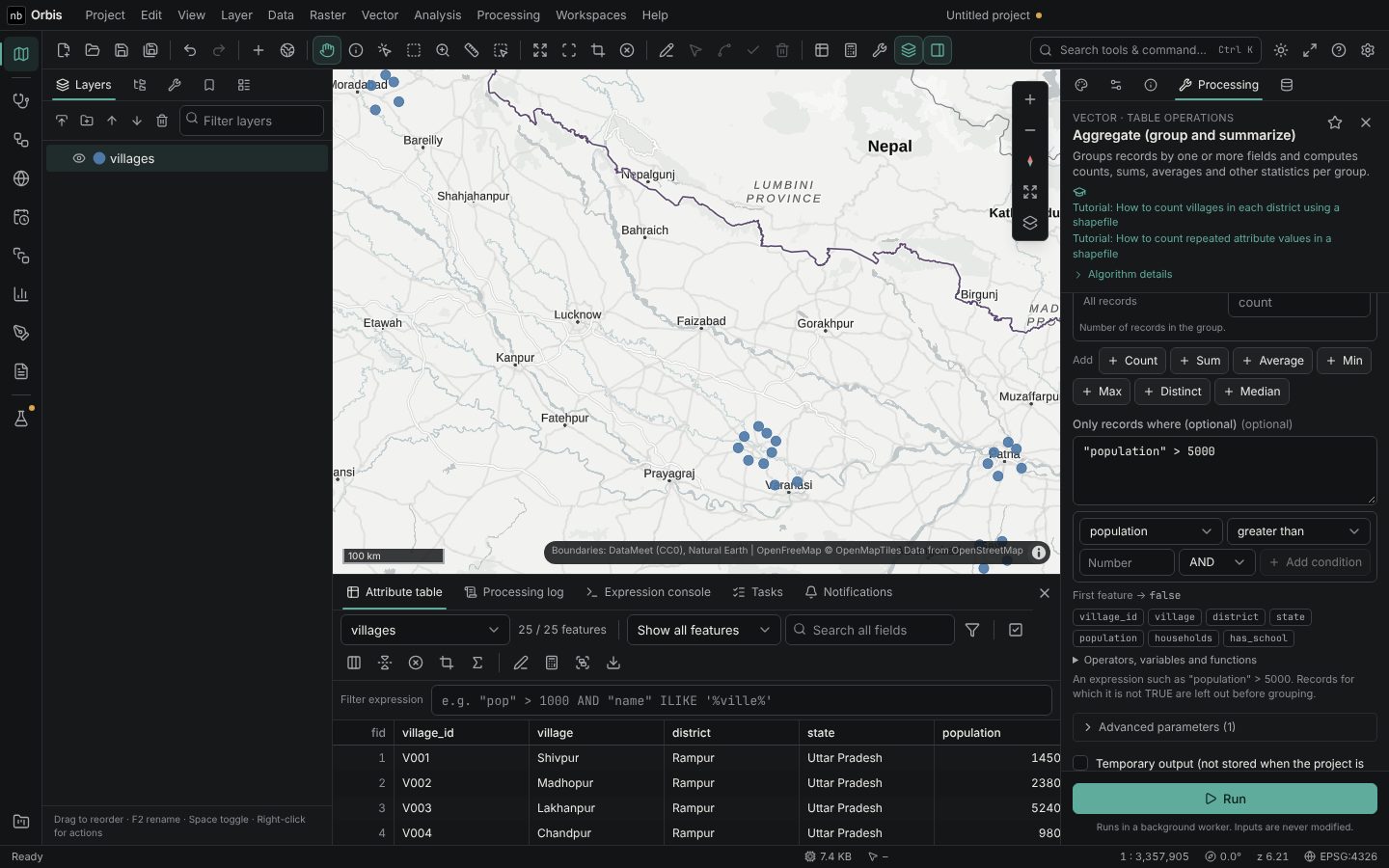
A filter added with the condition builder.
- Click Run. The notification says how many records passed the filter: 7 of 25.
Expected result
| district | count |
|---|---|
| Jaunpur | 1 |
| Patna | 3 |
| Rampur | 2 |
| Varanasi | 1 |
Gaya is missing: none of its villages has more than 5,000 residents, so it has no records left after the filter and therefore no group. Amarpur (no population) is also left out, because NULL > 5000 is not true.
Common mistakes
- Expecting zeros for missing groups. A filter removes records before grouping; a group with no remaining records does not appear. Compare with the unfiltered count to see which groups dropped out.
- Text values without quotes. Text in conditions is written in single quotes:
"has_school" = 'yes'. The condition builder adds them for you.
Troubleshooting
- "The filter uses field(s) that do not exist". The field name is misspelled. Use the condition row or click a field name under the expression box to insert it.
- Nothing passes the filter. Check the operator and the value against the field statistics of the field.