
Attribute analysis and statistics
How to count repeated attribute values in a shapefile
Find how many times each value of a field occurs, for example repeated village names, by grouping on that field and counting records, and filter the duplicates.
You will learn
- Build a frequency table of any field.
- Sort it to find the most frequent values.
- Keep only values that occur more than once.
Data for this tutorial
Sample villages (synthetic) Download villages.zip
- Format
- ESRI Shapefile (ZIP: .shp, .shx, .dbf, .prj, .cpg)
- Geometry
- Point
- CRS
- EPSG:4326 (WGS 84 longitude, latitude)
- Content
- 25 villages in 5 districts of 2 states
Fields used in the tutorials
| Field | Type | Description |
|---|---|---|
village_id | text | Identifier V001 to V025. |
village | text | Village name. Common names repeat (Rampur, Shivpur, Madhopur), as they do in real gazetteers. |
district | text | District: Rampur, Varanasi, Jaunpur, Patna or Gaya. |
state | text | State: Uttar Pradesh or Bihar. |
population | integer | Residents. One village (Amarpur) has no recorded population (NULL). |
households | integer | Households. |
has_school | text | yes or no. |
Licence: CC0 1.0. All tutorial data is synthetic and generated by Orbis. About the datasets
The task
Many villages share a name. You want to know which names repeat and how often. This is a frequency table: group the records by the field itself and count each group.
Steps
- Load
villages.zip, make villages the active layer and open the attribute table (F6).
- Click Group and summarize in the table toolbar. In the Aggregate (group and summarize) tool, tick village under Group by fields.
- Keep the Count records aggregate and type
occurrencesas its output name. Click Run.
The table Summary by village (villages) opens. Click the
occurrencesheader twice to sort it from the most to the least frequent.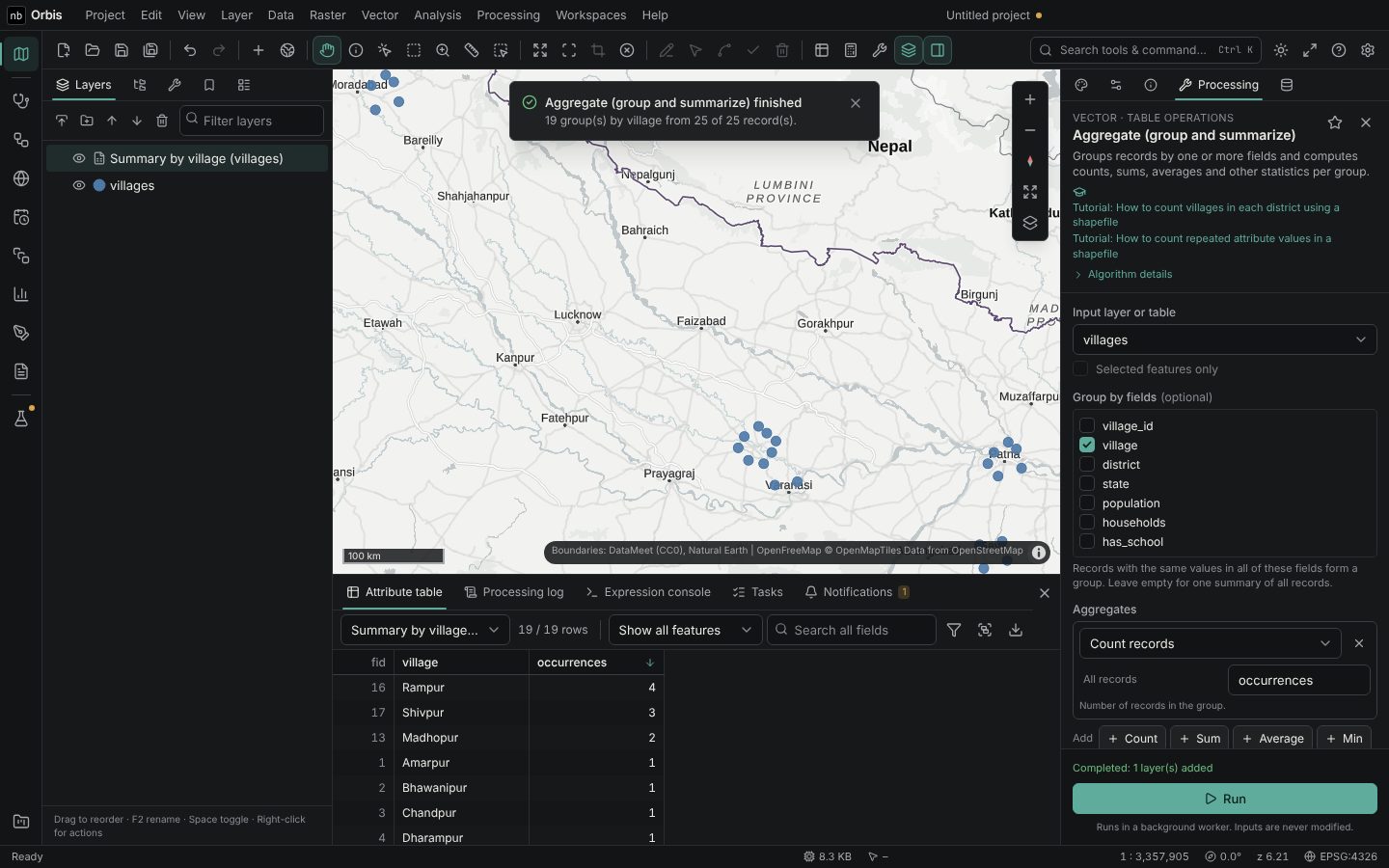
Village names sorted by how often they occur.
- To list only repeated names, type
>1in the column filter ofoccurrences(click the filter button in the table toolbar first).
Expected result
The table has 19 rows, one per distinct name. Three names repeat:
| village | occurrences |
|---|---|
| Rampur | 4 |
| Shivpur | 3 |
| Madhopur | 2 |
The other 16 names occur once. The occurrences add up to 25 villages.
Common mistakes
- Counting values versus records. Count records counts rows; Count values (non-NULL) skips rows where the chosen field is empty. For a frequency table both give the same result unless the field has NULL values, which form their own group.
- Near-duplicates. "Rampur" and "rampur" count separately. If they mean the same, group by a cleaned field such as
lower(trim("village"))created with the Field calculator.
Troubleshooting
- Every count is 1. You grouped by a field whose values are all different, such as
village_id. - The filter
>1hides everything. The filter row applies to the visible table; make sure you typed it underoccurrencesand not undervillage.