
Attribute analysis and statistics
Grouping by several fields (state and district)
Group records by more than one field to build nested summaries, such as villages per district within each state, and understand the order of grouping fields.
You will learn
- Group by several fields at once.
- Control the order of the grouping columns.
- Combine multi-field groups with counts and sums.
Data for this tutorial
Sample villages (synthetic) Download villages.zip
- Format
- ESRI Shapefile (ZIP: .shp, .shx, .dbf, .prj, .cpg)
- Geometry
- Point
- CRS
- EPSG:4326 (WGS 84 longitude, latitude)
- Content
- 25 villages in 5 districts of 2 states
Fields used in the tutorials
| Field | Type | Description |
|---|---|---|
village_id | text | Identifier V001 to V025. |
village | text | Village name. Common names repeat (Rampur, Shivpur, Madhopur), as they do in real gazetteers. |
district | text | District: Rampur, Varanasi, Jaunpur, Patna or Gaya. |
state | text | State: Uttar Pradesh or Bihar. |
population | integer | Residents. One village (Amarpur) has no recorded population (NULL). |
households | integer | Households. |
has_school | text | yes or no. |
Licence: CC0 1.0. All tutorial data is synthetic and generated by Orbis. About the datasets
The task
Your villages belong to districts, and districts belong to states. You want one row per state and district with the number of villages and their population.
Steps
- Load
villages.zip, open the attribute table and click Group and summarize.
- Under Group by fields, tick state first and then district. The fields are used in the order you tick them: the first is the outer group.
- Keep Count records (name it
villages) and add Sum onpopulation.
Click Run.
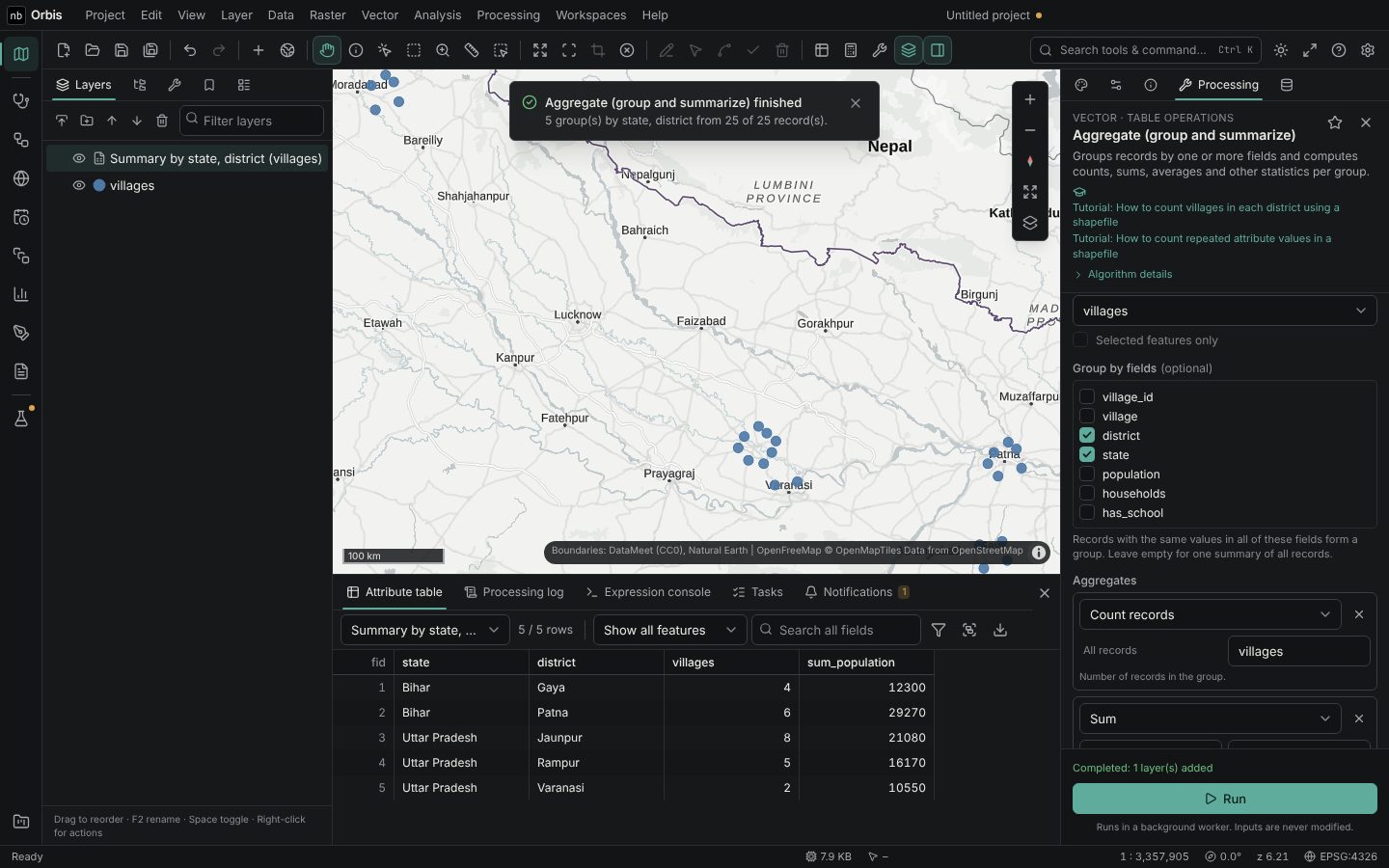
Grouping by state and district.
Expected result
| state | district | villages | sum_population |
|---|---|---|---|
| Bihar | Gaya | 4 | 12300 |
| Bihar | Patna | 6 | 29270 |
| Uttar Pradesh | Jaunpur | 8 | 21080 |
| Uttar Pradesh | Rampur | 5 | 16170 |
| Uttar Pradesh | Varanasi | 2 | 10550 |
Rows are sorted by state and then by district. Only combinations that occur in the data appear.
Common mistakes
- Grouping by a field that is unique per record. Adding
village_idas a grouping field creates one group per village. - Order of fields. Ticking district before state gives the same groups, but the district column comes first and the rows are sorted by district.
Troubleshooting
- Too many rows. Every distinct combination is a row. Check for spelling variants in either field.
- I want totals per state too. Run the tool again grouped by
stateonly, or by nothing for the grand total.